Triple-replicated S3 buckets, hosted in Switzerland.
S3-compatible object storage, automatically replicated across 3 Swiss datacentres. Auto-generated credentials, single endpoint, compatible with all your existing tools.
3 DC
S3 v4
1 YAML
0 config
One manifest, that's all
A single object to declare for a fully operational bucket. Credentials, access and replication are handled automatically.
-
Single resource provisioning
A single named object to declare. The bucket, credentials and accesses are created automatically. -
Credentials isolated per bucket
Each bucket has its own accessKeyId / accessSecretKey pair. No shared keys between buckets. -
A single endpoint for all your buckets
All buckets can be accessed via https://prod.s3.hikube.cloud. A single endpoint to configure in your tools. -
Transparent triple replication
Your data is automatically distributed across 3 Swiss datacentres. Zero data loss even if a datacentre fails completely. -
HTTPS access only
Encryption in transit on every connection. No anonymous access, a valid key is always required.
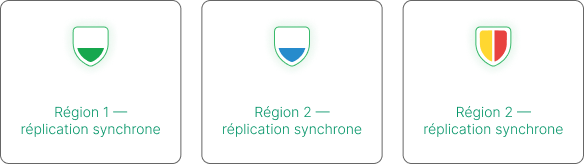
Automatic failover
A bucket ready in 5 minutes
Three steps: create the bucket with it users, retrieve the generated credentials, connect your S3 tool.
Declare a bucket and its users in YAML. Credentials are automatically generated for each user and linked to the bucket. Connect your usual S3 tool. Nothing else to configure.
-
Bucket and users declared together
Each bucket is created with its users. Credentials are automatically generated and linked to each user in the bucket. -
Credentials ready without configuration
Credentials are generated automatically and accessible directly from your interface or tools. -
Plug in your usual S3 tool
AWS CLI, boto3, rclone, Velero. Point to prod.s3.hikube.cloud with your credentials. Zero code rewriting.
 # Configure a dedicated profile
aws  configure --profile hikube
#  Access Key ID: $S3_ACCESS_KEY
#  Secret Access Key: $S3_SECRET_KEY
#  Region: (empty)
#  Format: json

# Upload a file
aws  s3 cp fichier.txt \
 "s3://$BUCKET_NAME/file.txt" \
 -- endpoint-url "$S3_ENDPOINT" \
 --profile hikube

# List contents
aws  s3 1s "s3://$BUCKET_NAME/" \
 -- endpoint-url "$S3_ENDPOINT" \
 --profile hikube
# Configure an alias
mc alias set hikube \
  "$S3_ENDPOINT" \
  "$S3_ACCESS_KEY" \
  "$S3_SECRET_KEY"

# Upload a file
mc cp fichier.txt \
  "hikube/$BUCKET_NAME/"

# List contents
mc ls "hikube/$BUCKET_NAME/"
import boto3
import os

s3 = boto3.client(
 "s3",
 endpoint_url=os.environ["S3_ENDPOINT"],
 aws_access_key_id=os. environ["S3_ACCESS_KEY"],
 aws_secret_access_key=os. environ["$3_SECRET_KEY"],
)

bucket = os.environ["BUCKET_NAME"]

 #Upload
 s3. upload_file ("local.txt", bucket, "remote.txt")

 #List objects
resp = s3.list_objects_v2(Bucket=bucket)
for obj in resp. get("Contents", []):
 print(obj["Key"], obj["Size"])
Works with your existing tools
The Hikube endpoint is compatible with AWS S3 signature v4. No SDK or proprietary plugin required. Configure your usual tool by pointing to https://prod.s3.hikube.cloud.
AWS CLI
Command-line file management. Dedicated profile with --endpoint-url.
mc (MinIO)
Versatile S3 client. Alias configured in one command.
rclone
Synchronisation and data migration. An s3 using the MinIO provider.
Velero
Backups from Kubernetes clusters to Hikube S3.
Restic
Backup of databases (PostgreSQL, MySQL, ClickHouse) to S3.
boto3
AWS Python SDK. Works without modification. Just point to the endpoint_url.
s3cmd
Alternative S3 CLI. Point host_base to the Hikube endpoint.
AWS SDKs
Go, Java, Node.js. All AWS S3 SDKs work natively.
What teams store on Hikube
S3 object storage covers a wide spectrum of needs, from cluster backup to static assets and data pipelines.
Kubernetes backups with Velero
S3 destination for cluster backups and persistent volumes. One-click restore from a Hikube bucket.
Artifacts and build images
Store container images, compiled binaries and GitOps artifacts between pipeline stages.
Static files and media
Images, videos, PDFs and web assets served directly from S3. Compatible with CDNs and nginx proxies.
Data lake and analytical storage
Centralise CSV, Parquet and JSON files for ETL, BI tools and S3-compatible analytical engines.
Long-term archiving
Application logs, audit logs and compliance archives continuously exported to S3 via Fluent Bit or Logstash.
Datasets and model checkpoints
Store training datasets and model checkpoints, accessible from Kubernetes GPU pods.
Object storage without cloud dependency
S3 object storage has become a de facto standard for cloud-native applications: it decouples storage from compute, simplifies data sharing between services, and integrates natively into all modern pipelines. But this dependency creates real lock-in: your data sits with a US hyperscaler, subject to its pricing policy and jurisdiction.
Hikube offers an S3-compatible alternative hosted in Switzerland, with the same level of integration: same protocol, same SDKs, same tools. Your applications won't know the difference, but your data stays in Switzerland, under your control.
Triple replication across three independent Swiss sites guarantees the same durability as hyperscalers, with no configuration overhead. It's automatic and transparent from the moment the bucket is created.
.svg)
Full S3 compatibility, zero rewriting
API compatible with AWS S3 signature v4. Your existing applications point to the Hikube endpoint without code modification.
Native Kubernetes integration
Bucket and credentials managed as Kubernetes resources. Auto-generated secrets, injectable directly into your pods.
Data in Switzerland, GDPR compliance
Infrastructure operated entirely in Switzerland. No transfers outside Europe.
Predictable pricing
No egress charges to your Hikube clusters. What you see is what you get.
FAQ
Questions about S3 Object Storage
Do my AWS tools work without modification?
Why is bucketName different from metadata.name?
metadata.name identifies the Kubernetes resource in your tenant. The bucketName in the Secret is the internal identifier generated in the SeaweedFS backend. It's a UUID that guarantees global uniqueness. Always use the Secret's spec.bucketName value for S3 operations, not the manifest name.
How do I inject credentials into a Kubernetes pod?
bucket-<name> is automatically generated in your namespace. Reference it in your Deployment via envFrom or mount it as a volume. Never extract keys in plain text in your Git manifests or repositories - always use the Secret reference.
Is it possible to list all buckets from the endpoint?
mc ls hikube or aws s3 ls without a target bucket will return an AccessDenied error. Always target your bucket directly: mc ls hikube/$BUCKET_NAME/.